Choosing medical billing software shouldn’t feel like a gamble, but for many small healthcare businesses, it does. One wrong system can slow down claims, increase denials, and quietly drain your cash flow. At the same time, juggling billing, compliance, and day-to-day operations leaves little room for trial and error.
That’s why finding the right medical billing software for a small business matters more than ever. The right tool can make it easier to submit claims, improve collections, and give you clear visibility into your revenue without overwhelming your staff.
Here we’ll have a look at the 10 best medical billing software options for small businesses, based on usability, features, and real-world performance. This list is designed to help small practices make confident and informed decisions.
Choosing the right medical billing software for small businesses means focusing on features that truly support efficiency, accuracy, and revenue stability. Below are the key factors we used to evaluate each option.
Small healthcare teams often don’t have time for long training sessions. The software must be easy to navigate, with clear menus and logical workflows. A user-friendly system reduces staff errors, shortens onboarding time, and helps teams stay focused on patient care instead of troubleshooting software.
Effective billing software should simplify the entire claims process. This includes accurate charge entry, claim scrubbing to catch errors early, and smooth electronic submissions. Strong claims management helps reduce denials, speed up reimbursements, and maintain steady cash flow.
Cost is a major concern for small businesses, but the cheapest option is not always the best. We looked for software with transparent pricing and no hidden fees. Scalability also matters, so the system can support growth without forcing a costly upgrade later.
Healthcare billing involves sensitive patient information. Reliable software must meet HIPAA standards and include strong security measures such as data encryption and controlled user access. This protects both patient data and the practice from compliance risks.
Clear reporting allows practices to understand their financial health. We prioritized software that provides real-time insights into claims status, payments, and outstanding balances. These reports help practices identify issues quickly and make informed business decisions.
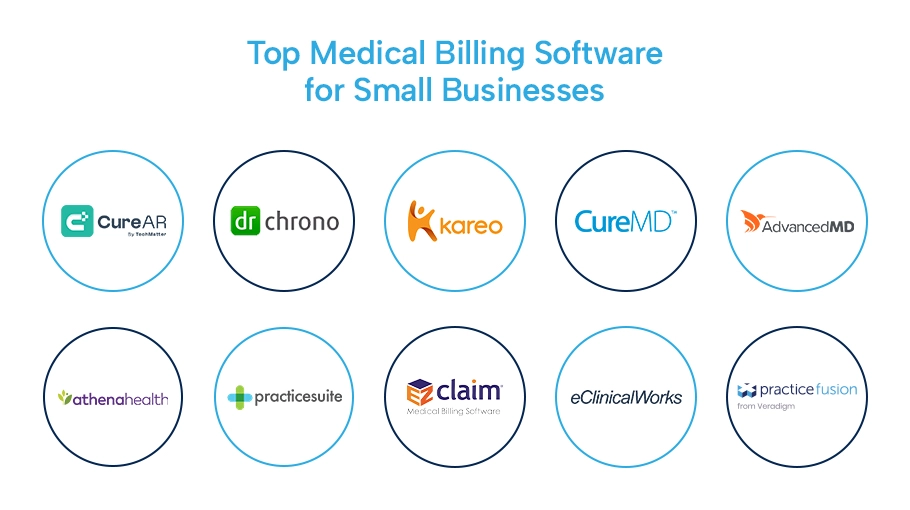
Below is a carefully curated list of the top medical billing software for small businesses, evaluated based on the above-mentioned factors.
CureAR is an AI-enabled medical billing platform built specifically for small healthcare teams that need accuracy, speed, and visibility without operational overload. Its intuitive interface allows staff to manage claims and follow-ups with minimal training. CureAR’s strongest advantage lies in its intelligent claim validation and scrubbing, which helps reduce errors before submission and improves first-pass acceptance rates. The platform is designed to grow with a practice, offering flexible pricing and scalable features while maintaining strong compliance and security standards. It also delivers real-time financial insights, helping practices stay in control of revenue performance.
AI-powered claim scrubbing to reduce denials
Simple workflows designed for small teams
Scalable pricing without disruptive upgrades
Real-time revenue and claims visibility
DrChrono combines medical billing with an integrated EHR, making it a good fit for practices that want clinical and billing workflows connected. The platform is relatively easy to use and supports mobile access, which helps staff stay productive. Its billing tools include insurance eligibility checks and streamlined claim submissions that help reduce front-end errors. While it offers solid functionality, costs may rise as practices add advanced features or expand usage.
Integrated EHR and billing in one system
Insurance eligibility checks to prevent claim issues
Mobile-friendly access for on-the-go teams
Suitable for small to mid-sized practices
Kareo, now part of Tebra, is known for its ease of use and cloud-based design, making it popular among small practices with limited billing resources. The software simplifies charge entry and claim submission, enabling staff to work more efficiently with fewer steps. Kareo offers transparent pricing and dependable core billing features, though it may feel limited for practices with complex billing needs or rapid growth plans.
Highly intuitive and easy to learn
Cloud-based access with simple workflows
Affordable pricing for small practices
Clear billing and revenue summaries
CureMD provides a comprehensive, cloud-based solution that combines billing, practice management, and EHR functionality. It is well-suited for practices that want strong revenue cycle management tools and are comfortable with a more feature-rich system. CureMD supports advanced claims management, denial tracking, and scalable workflows, making it a good option for practices planning long-term growth.
Strong end-to-end RCM capabilities
Cloud-based system with integrated EHR
Scales well for growing practices
Detailed financial and operational reports
AdvancedMD is built for practices that need robust automation and flexibility. It offers automated charge capture, customizable workflows, and powerful billing tools that support higher volumes. While the system may require more training for smaller teams, it delivers strong value for clinics expecting growth. AdvancedMD also provides in-depth reporting to help practices monitor performance and identify revenue opportunities.
Automated charge capture and workflows
Customizable billing and practice management tools
Designed for growing clinics
Advanced reporting and analytics
Athenahealth offers a full-service billing and revenue cycle management solution, reducing the internal workload for small practices. Its platform emphasizes automation and payer connectivity, helping improve claim acceptance rates. While it comes at a higher cost, it is ideal for practices that prefer a more hands-off approach to billing while maintaining strong financial visibility.
Full-service billing and RCM support
Strong payer network and claim acceptance rates
Reduced internal billing workload
Reliable compliance and security standards
PracticeSuite is a cost-effective and customizable option for small to mid-sized practices. It offers a broad set of billing and practice management features without high upfront costs. While the interface is more functional than modern, it provides flexibility and scalability for practices that want control over their workflows.
Affordable pricing for small practices
Customizable billing and management features
Supports multiple specialties
Gradual scalability as practices grow
EZClaim is a straightforward billing solution designed for practices with simple billing needs. It focuses on core functions such as claim creation, submission, and tracking. While it lacks advanced automation and analytics, its simplicity and reliability make it a practical choice for small practices that want an easy-to-manage system.
Simple and reliable billing workflows
Low-cost solution for basic needs
Easy to learn and use
Suitable for small, low-volume practices
eClinicalWorks is a feature-rich platform offering integrated billing and EHR capabilities with strong interoperability. It supports a wide range of practice types and emphasizes data sharing and compliance. While the system can feel complex, it provides powerful tools and reporting for practices that need depth and scalability.
Integrated billing and EHR platform
Strong interoperability and data sharing
Scalable for different practice sizes
Comprehensive reporting tools
Practice Fusion is a cloud-based EHR with built-in billing and patient engagement tools. It is easy to access and well-suited for small practices that prioritize simplicity. Billing features are more basic compared to full RCM systems, but they are sufficient for straightforward workflows.
Cloud-based and easy to access
Built-in billing and patient portals
Simple setup for small practices
Basic reporting and billing features
|
Software |
Best for |
Ease of Use |
Billing Strength |
Scalability |
Reporting & Insights |
|
CureAR |
AI-driven automation & accuracy |
Very High |
Advanced (AI) |
High |
Real-time, detailed |
|
DrChrono |
Integrated EHR + billing |
High |
Strong |
Medium |
Standard |
|
Kareo (Tebra) |
User-friendly cloud billing |
Very High |
Good |
Medium |
Simple, clear |
|
CureMD |
Full RCM with EHR & PM |
Medium |
Very Strong |
High |
Advanced |
|
AdvancedMD |
Growing clinics with complex needs |
Medium |
Very Strong |
Very High |
In-depth analytics |
|
athenahealth |
Hands-off billing & payer connectivity |
High |
Very Strong |
High |
Robust |
|
PracticeSuite |
Affordable, customizable solution |
Medium |
Good |
Medium |
Functional |
|
EZClaim |
Simple, low-volume billing |
High |
Basic |
Low |
Limited |
|
eClinicalWorks |
Interoperable, all-in-one platform |
Medium |
Strong |
High |
Comprehensive |
|
Practice Fusion |
Simple EHR with basic billing |
High |
Basic |
Low–Medium |
Basic |
There is no one-size-fits-all solution when it comes to medical billing software. Some practices need simplicity and affordability. Others need automation, scalability, and deeper revenue insights. The right choice depends on your billing volume, internal resources, and long-term goals, not just features on paper.
Medical billing software helps healthcare practices manage claims, submit bills to insurance companies, track payments, and handle patient billing. It streamlines the revenue cycle and reduces manual errors.
Yes. Even small practices deal with complex billing rules, payer requirements, and compliance standards. The right software helps reduce denials, speed up payments, and improve cash flow without increasing staff workload.
They can, but it’s not always ideal. Larger systems may be expensive or overly complex. Small practices benefit more from software that is easy to use, affordable, and scalable without unnecessary features.
Small practices should focus on ease of use, claim scrubbing, automated submissions, compliance support, and clear reporting. These features directly impact efficiency and revenue stability.
For most small practices, cloud-based systems are a better option. They offer remote access, automatic updates, lower upfront costs, and easier scalability compared to on-premise solutions.
Optimize billing, claims and collections with expert RCM support let our professionals handle the process so you can focus on patient care.